Know where
your time
went.
clock.motn sits in your menu bar and counts the time you are actually at it: the app in front while you're there, and your agents' own edits and prompts. Work is time on a project. Nothing outside the apps you choose is ever recorded.
- sample interval
- 2s
- keystrokes logged
- 0
- keystroke timeout
- 15 min
- key, revocable
- 1
Three steps. No plugins.
Most trackers need a plugin per editor. clock.motn watches the whole desktop from one place, and only the apps you allow.
Install the menu bar app
One signed app, no daemon, no terminal. It shows today's time beside its icon and asks for the two things it needs: your key and which apps to watch.
Paste your key
Sign up, generate a key on Settings, paste it into the app. Uploads start a minute later; the key can be revoked from the dashboard any time.
Read your dashboard
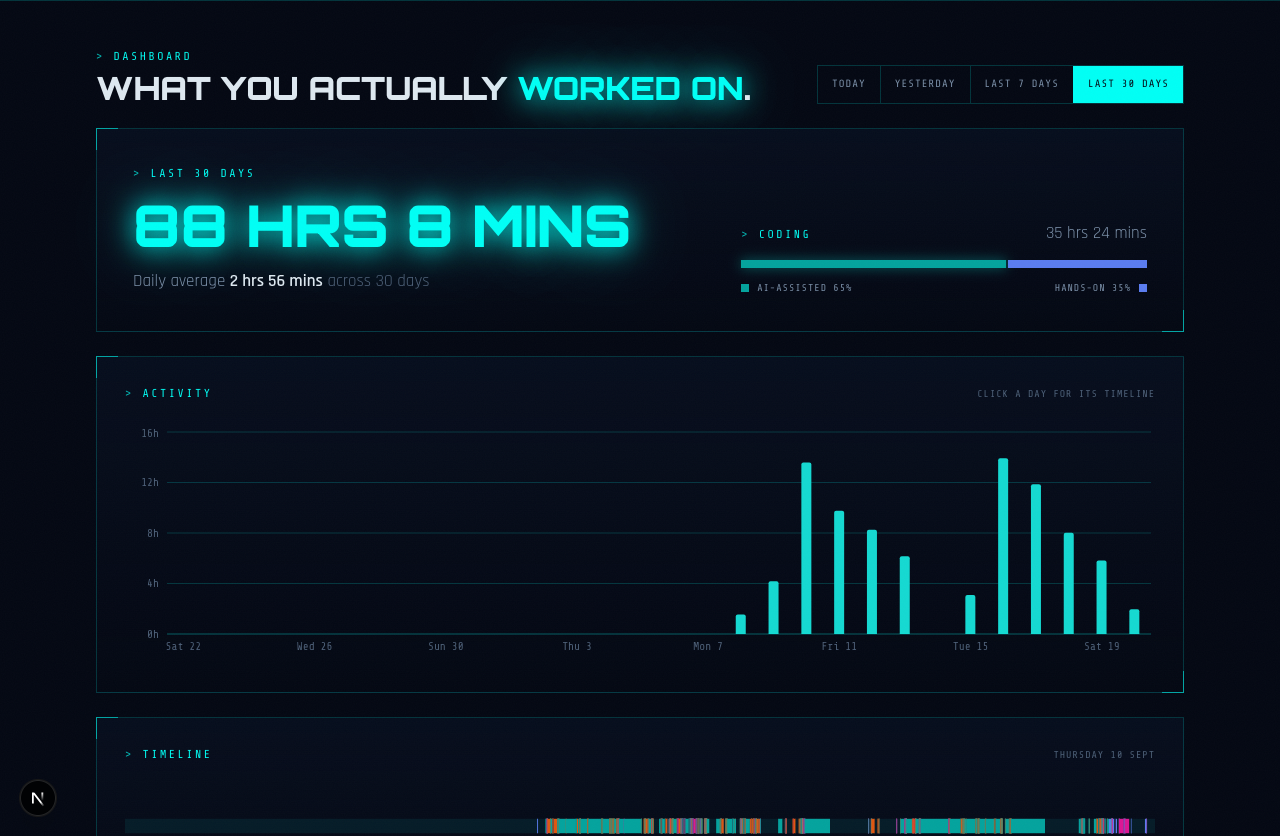
Projects with branches, AI-assisted against hands-on, and each day as a timeline, the same numbers the menu bar shows, computed once, server-side.
Honest numbers. By design.
Present, then gone
The app in front counts while you've touched the machine in the last 15 minutes; walk away and it stops. Agents count by their own edits and prompts, the way WakaTime's plugins do.
Projects from the repository
Git first, then the folder, resolved on your machine, where the repo is. Branch captured at the moment, not guessed later.
AI-assisted vs hands-on
Claude, opencode and friends are recognised by their own activity. See how much of your coding you drove and how much you delegated.
A day, as a timeline
Every segment of counted time on a 24-hour strip, coloured by what it was, with the project on hover. The view that explains a day.
Only the apps you pick
Untracked apps produce no row at all. Enforced in the collector before anything is written, not hidden at display time.
Your data, your key
A local queue on your Mac, uploaded with a key you can revoke. Two daemons can't double-count; a replayed upload is a no-op.
Every minute, placed.
Standard ranges. Numbers computed once, on the server, by the same rules the menu bar uses.
One command. Then your key.
Terminal on a Mac, PowerShell on Windows. It downloads, installs, wires up the hooks and opens the app. Same account, same key, same dashboard.
$ curl -fsSL https://clock.motionlabs.ng/install.sh | sh$ irm https://clock.motionlabs.ng/install.ps1 | iex- 01Paste your key · Sign up, Settings → Generate key. The installer takes it, or paste it into clock.motn › Settings…
- 02Pick your apps, grant Accessibility · Monitored Apps… decides what is ever recorded. Accessibility is what turns window titles into projects.
- ›Dashboard
- ›Settings…
- ›Monitored Apps…
- ›Check for Updates…
- ›Quit clock.motn
Five menu items. The essentials, nothing more.